
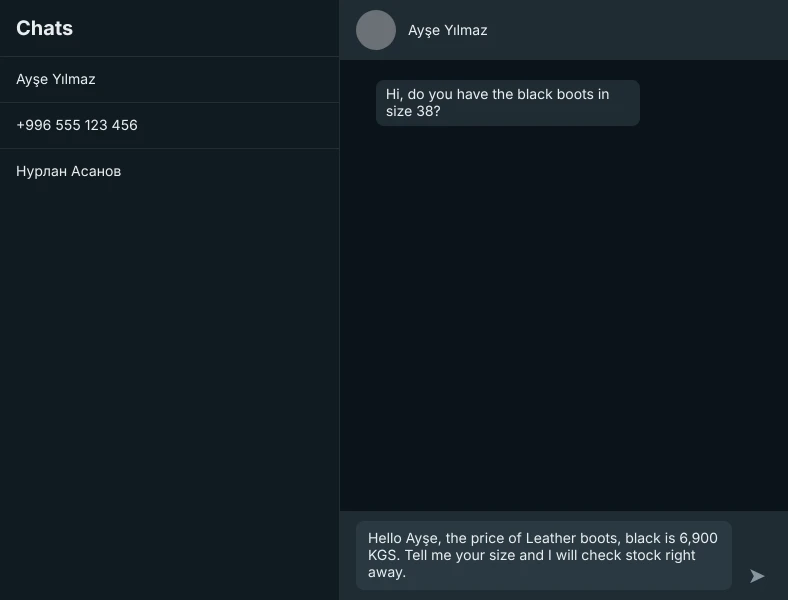
A customer asks for the price
You type "/price" and press Enter. The reply lands in the box with the customer's name, the model and the price filled in. You read it, adjust if needed and press Send yourself.
VuSatış opens as a panel next to WhatsApp Web. It puts your usual replies into the message box in one keystroke, keeps notes and orders for every customer, and reminds you who to get back to.
For Chrome, Edge, Opera and Firefox. No account needed.
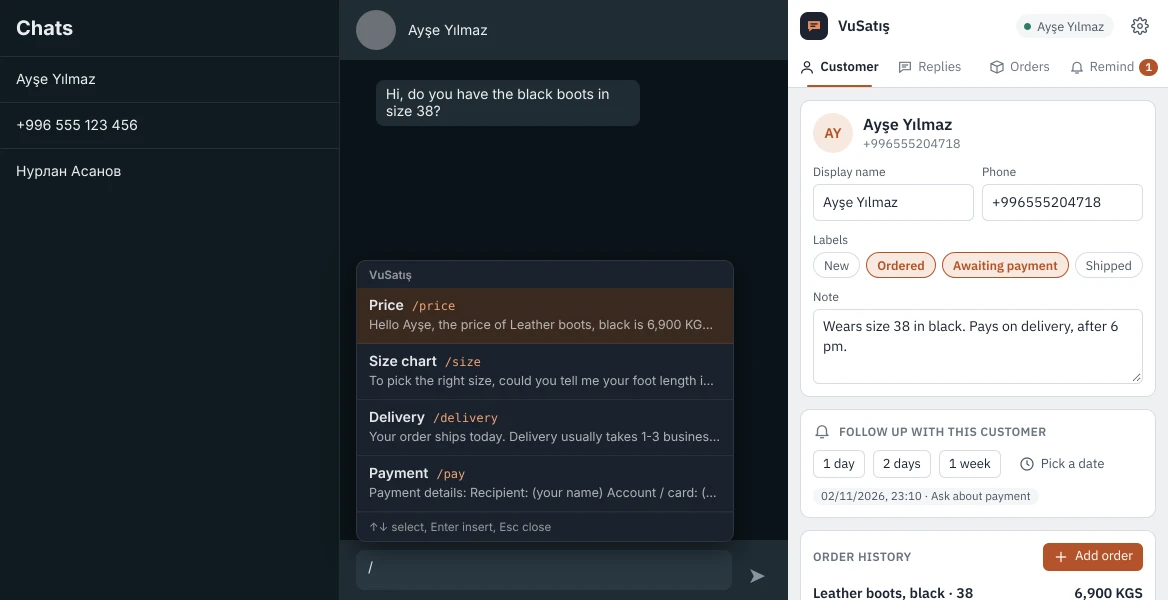
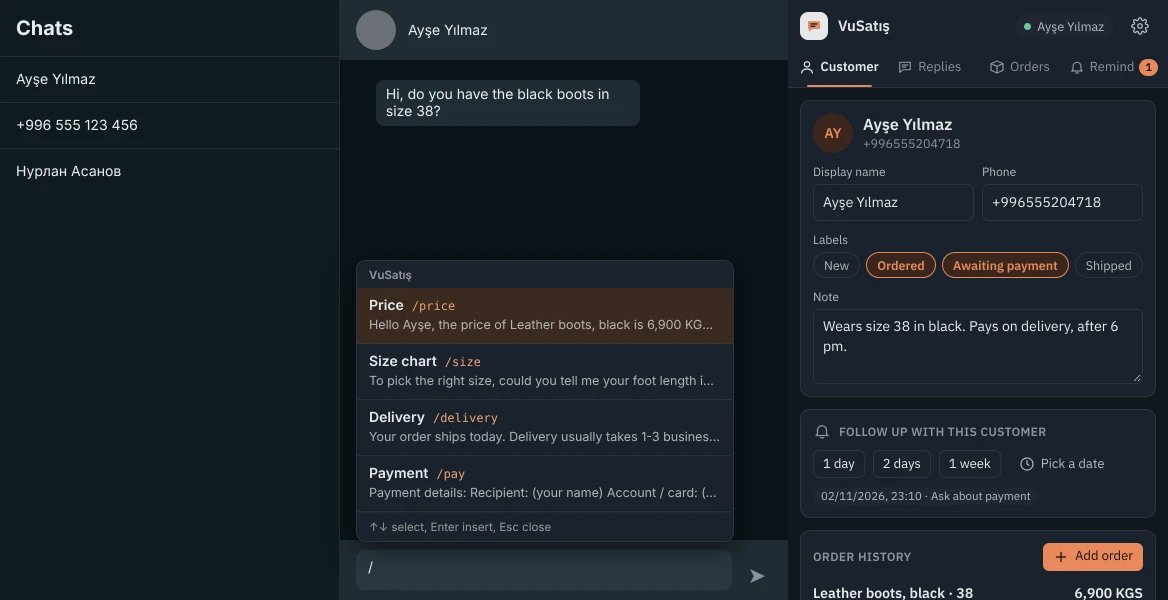
An ordinary day in a shoe shop. Every step shows the real VuSatış screen.
You type "/price" and press Enter. The reply lands in the box with the customer's name, the model and the price filled in. You read it, adjust if needed and press Send yourself.
In the panel you enter the product, size and price. The customer gets the "Ordered" label; your notes and their past orders stay on the same card.
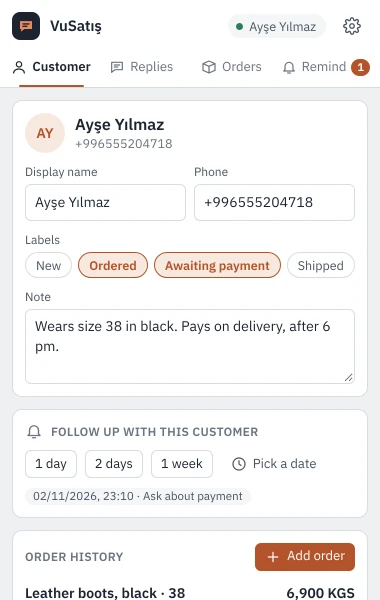
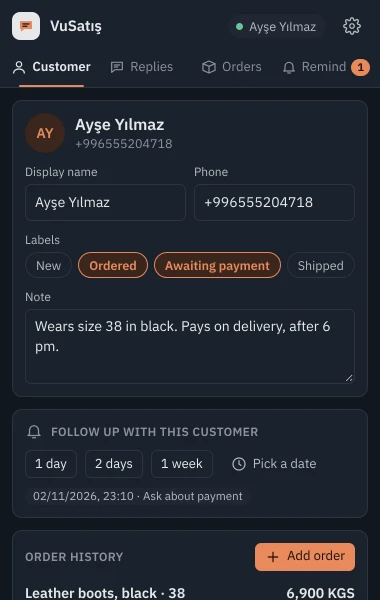
One click on "1 day" is enough. Tomorrow a notification appears on your computer and the icon shows how many customers are waiting.
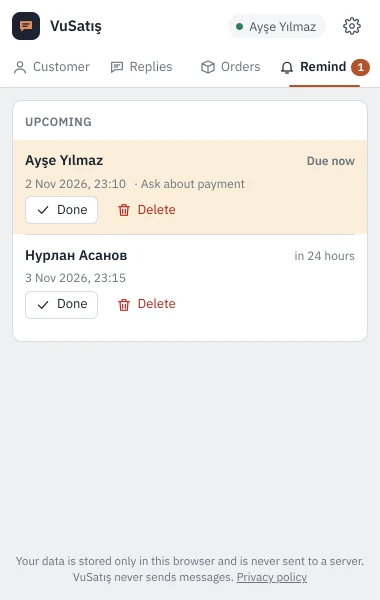
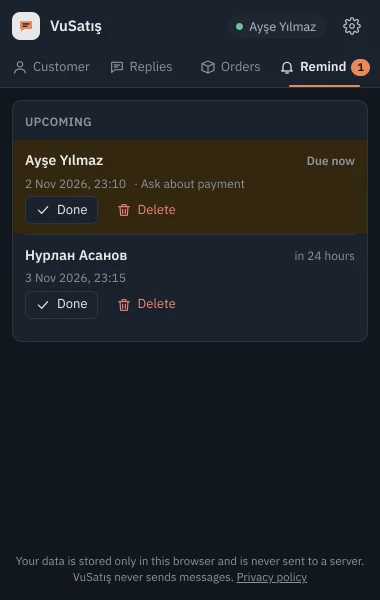
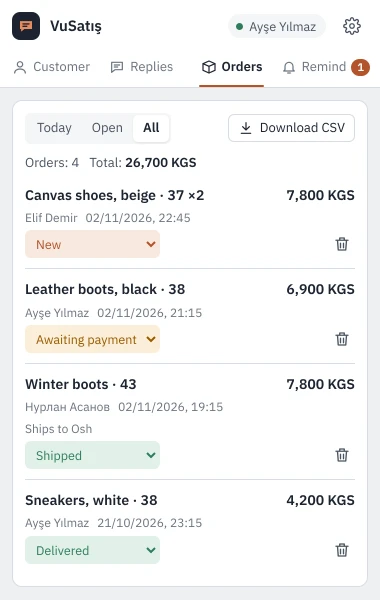
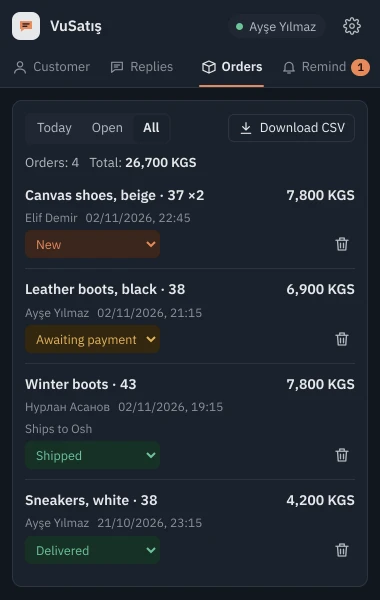
The Orders tab shows the day's orders and the total. Update statuses in one click and download the list as a CSV that opens in Excel.
| Free | Pro soon | |
|---|---|---|
| Price | 0 | Monthly |
| Quick replies | 20 | Unlimited |
| Customer cards | 100 | Unlimited |
| Orders and reminders | Unlimited | Unlimited |
| Data | On this computer | Synced everywhere |
| Staff | 1 | Several |
The Chrome, Edge, Opera and Firefox store listings are in review. Until they are approved you can download the Chrome, Edge and Opera package here; the Firefox version arrives with the store approval.
Unzip the download into a folder. Open chrome://extensions in Chrome, edge://extensions in Edge or opera://extensions in Opera, switch on "Developer mode" and choose "Load unpacked". Then open web.whatsapp.com and click the VuSatış icon in the toolbar. In Chrome and Edge the panel opens beside the page; in Opera it opens as a separate window docked to the right.
VuSatış does no bulk or automatic sending and does not interfere with how WhatsApp works. You chat as usual; the extension only types the text for you.
Download a backup from Settings and restore it on the new computer. In Pro this sync will happen on its own.
No. VuSatış runs in the browser on your computer (Chrome, Edge, Opera, Firefox), together with WhatsApp Web.
English, Turkish and Russian. Kyrgyz is in preparation.